
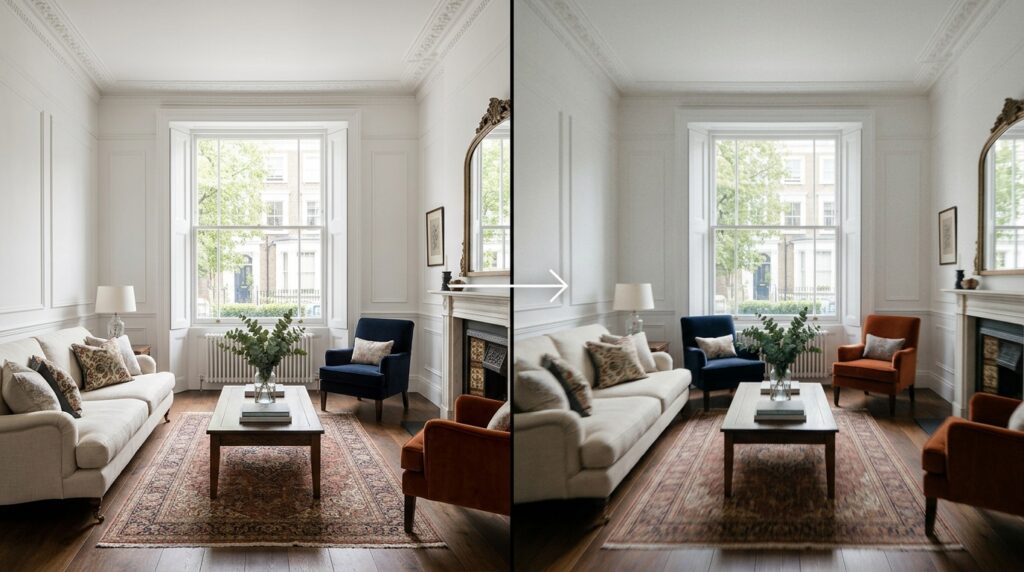
AI cinematic interior videos begin with a professional photograph. That is the part most clients do not immediately understand when they first encounter the technology. The instinct is to think of AI video as something generated from nothing, or as an alternative to photography. In practice, the process runs in the opposite direction. A high-quality interior photograph is uploaded to an AI motion platform, a camera movement is specified through a text prompt or control panel, and the AI generates a smooth cinematic video clip from the still image by predicting how light, depth, and spatial relationships in the scene would behave if a camera were actually moving through it.
This article explains exactly how that process works, which tools are currently producing the most usable results for interior and property applications, what the AI is actually doing at each stage, and why the quality of the source photography determines the quality of every AI cinematic interior video produced from it. For property developers, hotel groups, estate agents, and architectural practices commissioning interior photography in London, understanding this chain is increasingly relevant to how visual marketing budgets are structured.
What AI Cinematic Interior Videos Actually Are
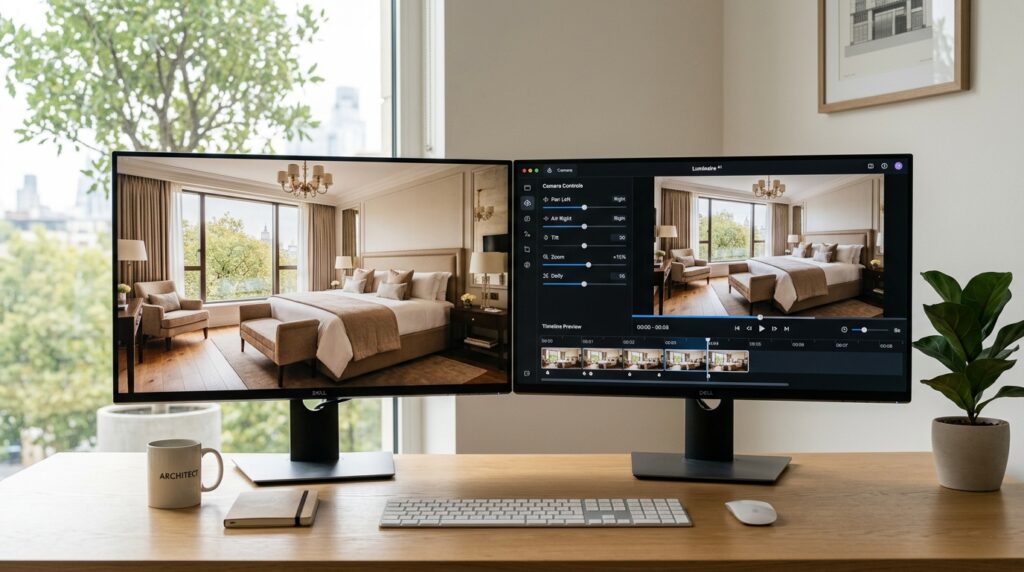
An AI cinematic interior video is a short video clip generated by an artificial intelligence model from one or more still photographs. The AI does not film the space. It analyses the spatial information encoded in a photograph and uses that analysis to simulate how a camera would move through the scene, producing smooth motion video at a frame rate of 24 to 30 frames per second from a static starting image.
The term cinematic refers to the quality of camera movement produced. Rather than a simple zoom or pan applied mechanically to a flat image, the best current AI models apply genuine parallax: foreground elements move faster relative to the camera than background elements, which is what happens when a physical camera moves through real space. Objects closer to the lens shift more dramatically across the frame than distant elements. Light sources maintain spatial consistency as the virtual camera moves. The result is a video that reads as filmed rather than animated, which is the distinguishing characteristic of the cinematic output category.
The most commonly used AI platforms for interior and architectural applications in 2025 include Runway Gen-4, Kling AI 3.0, Luma Dream Machine, Pika Labs 2.5, and Google Veo 3. Each operates on similar principles but differs in the level of directorial control offered, the maximum output duration, and the degree to which the generated motion respects the spatial geometry of the original photograph.
How the AI Processes an Interior Photograph to Generate Motion
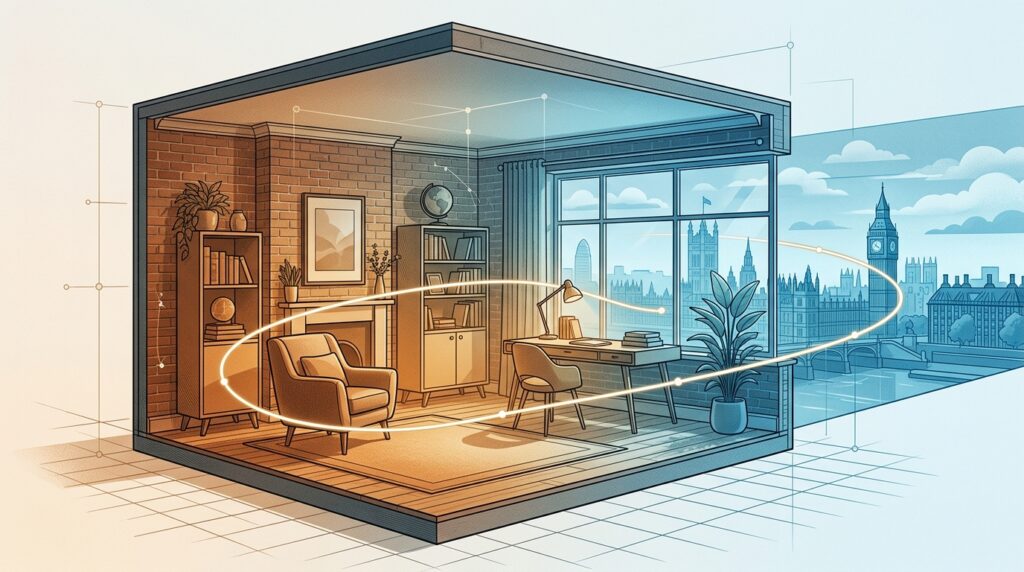
The process by which an AI model converts a still interior photograph into cinematic video involves several computational steps that happen automatically within the generation platform. Understanding these steps is useful for anyone commissioning or briefing this work, because they explain directly why certain inputs produce better outputs than others.
Depth estimation
The first thing an AI image-to-video model does with an interior photograph is estimate the depth of each element in the scene. It builds a rough three-dimensional map from a two-dimensional image by analysing perspective cues: the relative size of known objects, the convergence of parallel lines toward vanishing points, the way atmospheric haze or focus softening signals distance, and the occlusion of one object by another.
For interior photography, the depth estimation step is significantly aided by clear architectural geometry. A well-composed room photograph with visible skirting boards, ceiling lines, window reveals, and furniture at multiple depths gives the AI more spatial information to work with than a flat, ambiguous image. This is one of the reasons that professional interior photographs produce substantially better AI cinematic video output than casual or poorly composed photographs: the compositional decisions made by the photographer at the point of capture directly affect the accuracy of the AI’s spatial model.
Camera movement synthesis
Once the AI has a working depth model of the scene, it synthesises camera movement based on the prompt or control inputs provided by the user. The most common movement types used for interior applications are dolly-in (camera moves toward a focal point in the scene), dolly-out or pullback (camera moves away from the scene to reveal more context), pan (camera rotates horizontally across the space), and orbit (camera moves in a curved path around a central subject).
According to documentation from ArchiVinci on AI image-to-video generation for architecture, the AI analyses depth and spatial relationships within the source render or photograph to simulate realistic camera movements rather than applying generic pans or slides. [1] This distinction matters because generic panning simply shifts the entire image laterally, which reads as flat and obviously artificial. True parallax motion, where near and far elements move at different rates relative to the camera, is what separates a cinematic AI video from a basic animated GIF.
Frame interpolation
A single still image provides one frame of information. A 10-second video at 24 frames per second requires 240 frames of information. The AI generates the intervening 239 frames through a process called frame interpolation: predicting what each successive frame should look like given the depth model of the scene and the specified camera trajectory.
Frame interpolation is where the visible quality differences between AI platforms are most apparent. Lower-quality models produce interpolation artifacts: flickering surfaces, inconsistent shadows, objects that distort or warp unnaturally as the camera moves. Higher-quality models maintain texture, lighting direction, and material consistency across all generated frames, producing output that reads as physically coherent. According to Higgsfield’s analysis of image-to-video tools (2025), the difference between good and poor image-to-video output frequently comes down to whether the model degrades image fidelity during interpolation, with lower-quality tools introducing blurring or compression artifacts that are absent from the source photograph. [2]
Output rendering
The final step is rendering the generated frame sequence as a video file. Most current AI platforms output at 1080p resolution natively, with 4K upscaling available through secondary tools such as Topaz Video AI. Standard output duration for image-to-video generation is between 5 and 15 seconds per clip, with platforms like Kling AI 3.0 supporting up to 2 minutes for longer walkthrough sequences. Multiple clips generated from a series of photographs of the same property can be assembled into a continuous walkthrough using standard video editing software.
The AI Platforms Used for Cinematic Interior Video Production
The landscape of AI image-to-video platforms has matured significantly since 2023. The following are the tools most relevant to interior and architectural video production in 2025, based on their performance with photorealistic interior source material.
Platform | Best use for interiors | Key characteristic | Output duration |
Runway Gen-4 | Flagship property and hospitality | Highest creative control, motion brush tool, image-to-video with independent camera and subject control | Up to 10 seconds per clip |
Kling AI 3.0 | Volume listings, social media | Strong photorealism at lower cost, 30fps consistency, up to 2 minutes per generation | Up to 2 minutes |
Google Veo 3 | Premium cinematic quality | Highest photorealism, native audio generation, physics-accurate motion | Up to 60 seconds |
Luma Dream Machine | Stylised and creative briefs | Fast iteration, good for exploring motion direction before committing | 5 to 10 seconds |
Pika Labs 2.5 | Social media and quick-turn content | Accessible interface, strong for short Reels and Stories format clips | Up to 10 seconds |
Adobe Firefly | Teams already in Adobe workflow | Native integration with Premiere and After Effects, commercially licensed output | Up to 10 seconds |
A comparison of current AI video platforms published by ClaudeArchitect (2026) placed Sora 2 (integrated into platforms including Higgsfield and Artlist) at the top for photorealistic output, Runway Gen-4 as the strongest choice where directorial control over the output is required, and Kling 3.0 as the most cost-efficient option for high-volume production where the quality difference against top-tier models is acceptable. [3] For interior photography applications, the platform choice depends primarily on the intended distribution channel: flagship property websites and press require higher-quality generation, while social media channels can produce strong results from mid-tier platforms at significantly lower cost per clip.
Why Photography Quality Determines AI Video Quality
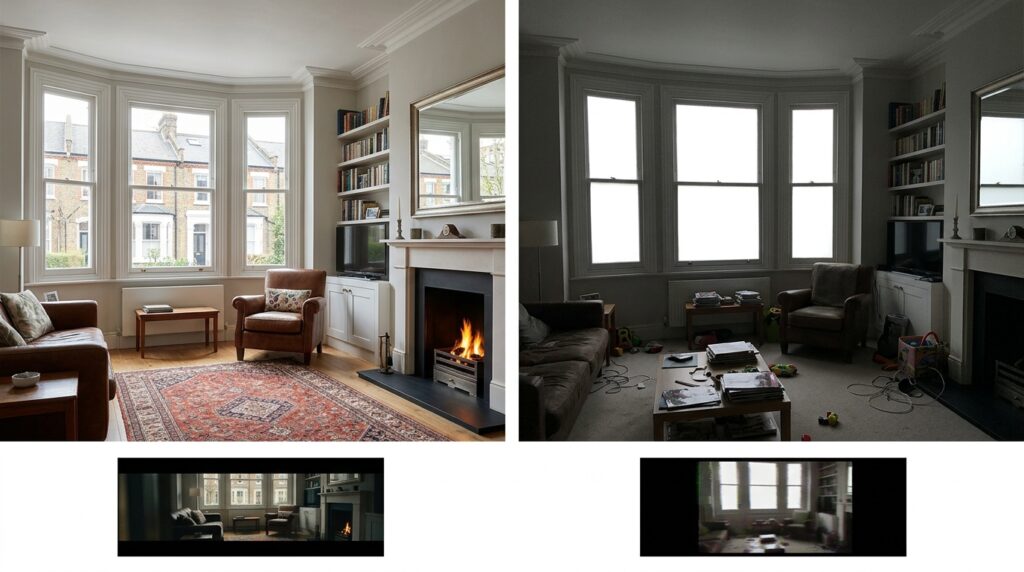
The relationship between source photograph quality and AI cinematic interior video quality is direct and linear. Every technical characteristic of the generated video is bounded by the information available in the source image. The AI cannot generate depth that is not implied in the photograph, cannot correct for blown highlights or muddy shadows, cannot reconstruct spatial geometry from a flat or ambiguously composed image, and cannot produce photorealistic surface textures from a low-resolution or compressed source file.
Lighting controls depth estimation accuracy
A professionally lit interior photograph uses controlled light to reveal the three-dimensional form of a space: directional light creates shadows that communicate surface angles, balanced exposure reveals detail in both bright window areas and shadow zones, and consistent colour temperature across the scene allows the AI to make accurate inferences about material properties. A photograph with blown-out windows, flat available light, or inconsistent mixed colour temperatures provides the AI with ambiguous spatial information, leading to less accurate depth estimation and less convincing parallax motion in the generated video.
Composition supplies the AI with spatial narrative
A well-composed interior photograph establishes clear foreground, midground, and background relationships. A wide-angle shot at skirting-board height looking across a room toward a window gives the AI multiple depth planes to work with: the floor surface close to camera, furniture in the middle distance, architectural elements and windows at the far end of the space. This layered spatial information is what the AI uses to generate convincing parallax motion. A photograph taken at eye height from a corner of a room with limited depth layering gives the AI less to work with and typically produces flatter, less convincing camera movement.
Resolution determines the usable output quality
AI image-to-video models work with the resolution of the source photograph. Most current platforms accept files up to 4K as input and produce output at 1080p natively. A professional interior photograph shot on a full-frame camera at 24 to 45 megapixels provides sufficient resolution for AI video generation at 1080p or 4K upscaled output. A photograph taken on a phone at compressed JPEG quality provides less detail for the AI to work with and limits the visual quality of the generated video at equivalent output resolution.
This is the practical reason why AI cinematic interior videos and professional interior photography are complementary rather than competitive. The AI video is produced from the photography. Commissioning professional interior photography and then using those images as source material for AI video effectively produces two distinct visual asset types from one shoot investment: the still photographs for portals, brochures, and digital marketing, and the AI cinematic videos for social media, email, and listing pages.
How to Brief AI Cinematic Interior Videos for Property Marketing
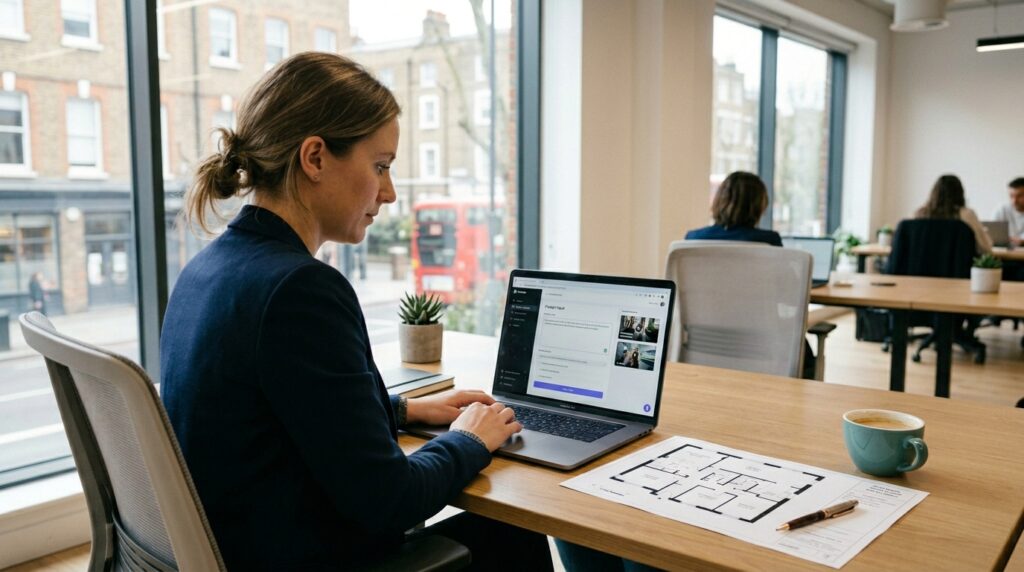
Specify the camera movement type for each shot
The most effective AI cinematic interior video prompts specify the exact camera movement required for each clip: the starting position, the direction of travel, the speed, and the focal point the movement is oriented around. A prompt such as ‘slow dolly-in toward the fireplace from the entrance of the room, maintaining the window in the background’ gives the AI directional, spatial, and compositional information. A prompt such as ‘show the room’ does not. The more specific the camera direction, the more accurately the AI can generate movement that serves the marketing purpose of the clip.
Match movement type to room geometry and content
Different room types benefit from different camera movements. Long corridors and hallways suit a straight dolly-in along the axis of the space. Open-plan living areas benefit from a slow horizontal pan that reveals width. Individual focal points such as a fireplace, a kitchen island, or a bed benefit from a slow pull-back that reveals context. Exterior terraces and views are well-suited to a slow zoom-out that moves from interior to reveal the external environment. Matching the camera movement to the spatial logic of the room produces AI cinematic interior video that communicates the property accurately rather than simply moving for the sake of motion.
Plan the assembly sequence from the photographs available
A property with ten professional photographs of different rooms can generate ten individual AI cinematic video clips of five to fifteen seconds each. These clips are then assembled in a sequence that follows the natural flow of the property: entrance, reception rooms, kitchen, dining, primary bedroom, secondary bedrooms, bathrooms, and any external spaces. The assembly sequence should follow the same logic a buyer or guest would experience when physically moving through the space. This narrative coherence is what separates a useful property walkthrough from a random collection of animated room shots.
Frequently Asked Questions
How long does it take to generate an AI cinematic interior video from professional photographs?
A single 10-second AI cinematic interior video clip from one source photograph typically generates in between two and fifteen minutes depending on the platform used and the resolution of the output. A complete property walkthrough of six to eight rooms, each with its own generated clip, takes between one and three hours of generation time before assembly and any colour grading. The assembly of clips into a continuous walkthrough video using standard editing software adds a further one to two hours for a property of ten rooms. Total turnaround from delivering professional photographs to a published AI cinematic interior video is typically achievable within the same working day for standard residential and hospitality applications.
Which AI platform produces the best results for luxury interior photography?
For luxury residential and premium hospitality applications where the highest visual quality is required, Google Veo 3 and Runway Gen-4 currently produce the strongest results from professional interior photography source material. Veo 3 offers the highest photorealism and native audio generation, making it well suited to flagship property websites and premium listing portals. Runway Gen-4 offers the most directorial control through its motion brush and independent camera and subject movement controls, which is valuable when a specific camera move is required for a particular composition. For volume applications across multiple listings at a lower per-clip cost, Kling AI 3.0 delivers strong results at approximately half the cost of the top-tier platforms.
Can AI cinematic interior videos be produced from existing photographs or does new photography need to be commissioned?
AI cinematic interior videos can be generated from existing photographs if those photographs are of sufficient quality. The key requirements are high resolution (ideally from a professional camera rather than a phone), accurate and balanced lighting with no blown-out windows or heavy shadow areas, sharp focus throughout the scene, and compositional depth with clear foreground, midground, and background elements. Photographs that meet these criteria can be processed directly into AI cinematic video without a new shoot. Photographs that do not meet these criteria will produce AI video of noticeably lower quality, and in those cases a new professional shoot is a more effective investment than attempting to generate AI video from poor source material.
What aspect ratios and formats are AI cinematic interior videos available in?
Most current AI image-to-video platforms generate output in 16:9 widescreen format natively, which suits website use, portal listing videos, YouTube, and landscape social media placements. The same platforms also support 9:16 vertical format output for Instagram Reels, TikTok, and YouTube Shorts, and 1:1 square format for certain social media placements. For most property marketing campaigns, generating in 16:9 for the primary placement and cropping or re-generating in 9:16 for social media is the most efficient workflow. Some platforms, including Kling and Runway, support aspect ratio selection at the generation stage, which produces better results than cropping a widescreen output after generation.
Do AI cinematic interior videos require professional photography to work well?
Yes, in any application where the quality of the output is commercially relevant. The AI cannot improve on the information in the source photograph. It can only animate what is there. A professionally lit, high-resolution, well-composed interior photograph provides the depth cues, spatial geometry, and surface detail the AI needs to generate convincing cinematic motion. A casual or poorly lit photograph produces AI video that reads as visually inconsistent, with flat motion, unrealistic parallax, and surface textures that degrade as the virtual camera moves. For property developers, estate agents, and hospitality groups using AI cinematic interior videos in client-facing marketing, the source photography is the primary determinant of quality and should be commissioned accordingly.
Professional Photography Is the Starting Point for Every AI Cinematic Interior Video
AI cinematic interior videos have changed what is possible with still photography. A set of professionally shot interior photographs that previously served print, digital, and portal marketing purposes can now also generate cinematic video content for social media, listing pages, and email marketing campaigns. The workflow is faster than traditional video production. The cost per clip is substantially lower. And the output, when the source photography is strong, reads as genuinely cinematic rather than obviously artificial.
The ceiling on that output is set at the photography stage. The AI generates motion from spatial information encoded in a photograph. The more spatial information the photograph provides, the more convincing the motion. Every decision a professional interior photographer makes about light, composition, depth, and exposure directly affects the quality of the AI cinematic interior video that can be produced from their work. This is not a limitation of AI. It is the logic of the medium.
To discuss how professional interior photography can be commissioned as the foundation for both still and AI cinematic video content across a property marketing campaign, explore the residential photography portfolio, review the work produced for the hotel and hospitality sector, or visit the AI Videos page to see how this work is currently being applied. To discuss a specific project brief, get in touch directly.
References
All external sources cited in this article are established industry and platform documentation sources.
- ArchiVinci. AI Image to Video Generator for Architecture and Interior Design. ArchiVinci Platform Documentation, 2025
- Higgsfield AI. Best Image-to-Video AI Tools on Higgsfield: A 2025 Analysis. Higgsfield AI Blog, 2025
- ClaudeArchitect. Best AI Video Generators 2026: Sora 2 vs Runway vs Kling Expert Comparison. ClaudeArchitect Blog, 2026
- Adobe. Image to Video AI: Adobe Firefly Platform Documentation. Adobe Firefly, 2025